
In this article:
- Fundraising Performance
- Recent Contributions
- Top Forms
- Disbursements
- Recurring
- Donor Statistics
- Form Breakdown
Your Overview page is the homepage of your Dashboard. It provides essential data and metrics about your fundraising program, including the amount you’ve raised in the last week, the location of your donors, and your most successful contribution forms.
Fundraising Performance
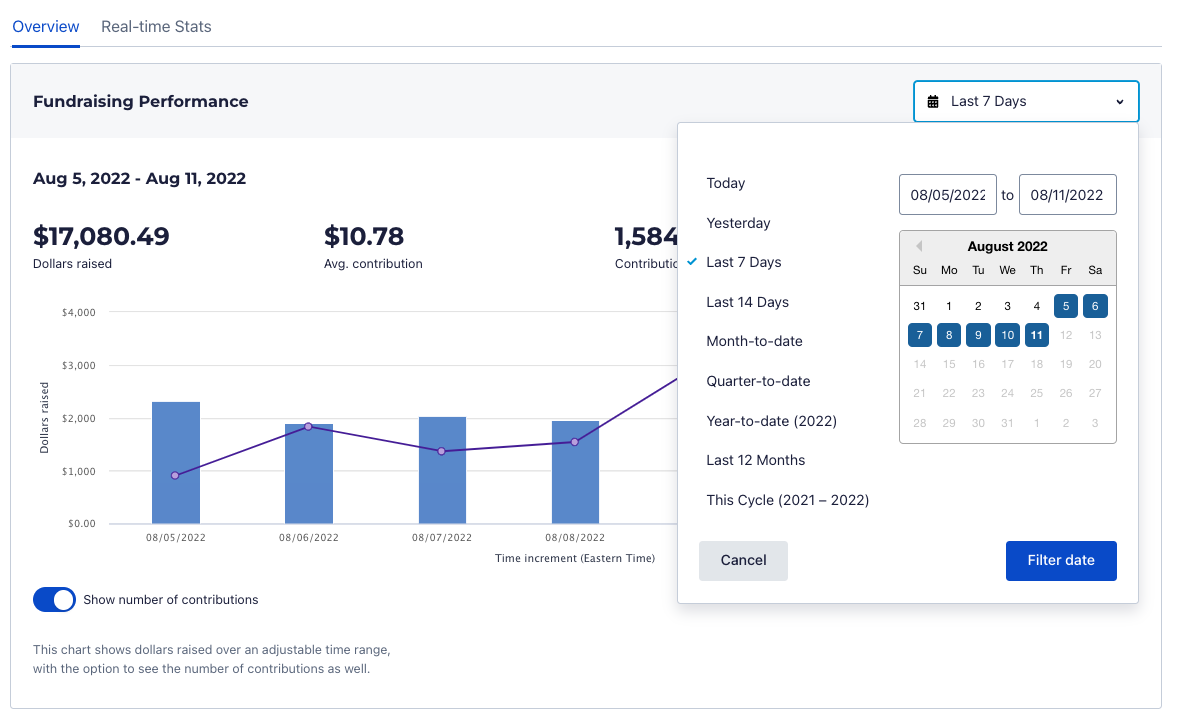
At the top of the page is Fundraising Performance for your group over the last seven days
- Total dollars raised
- One-time dollars raised
- Recurring dollars raised
- Contributions
- Avg. contribution
- % via mobile device
- % ActBlue Express donors
Hover over the bars to see a breakdown for that particular day.
You can change the timeframe for your Fundraising Performance numbers and graph. Click the dropdown and choose from different timeframe options, or enter the exact start and end dates of a timeframe you need.
Click the “Filter date” button.
Recent Contributions
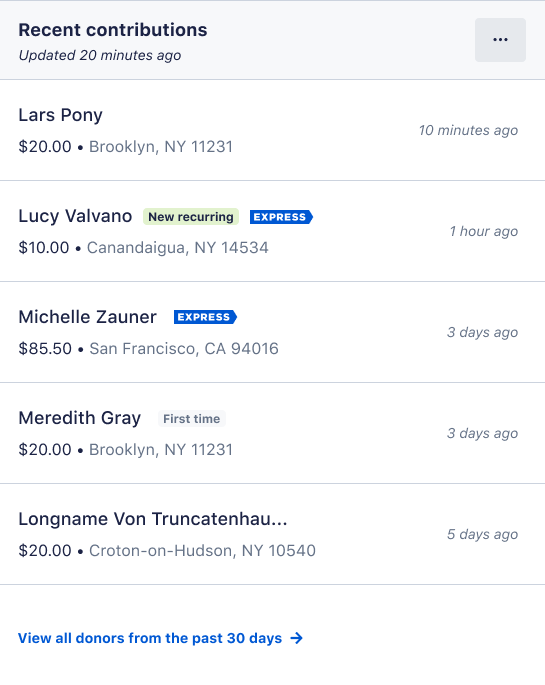
The Recent Contributions module lists your five most recent contributions:
- Donor name
- Amount
- Location
- Contribution type
- Time since the contribution.
Click on the donor’s name to view more details, including the ActBlue order number and donor’s email.
Top Forms
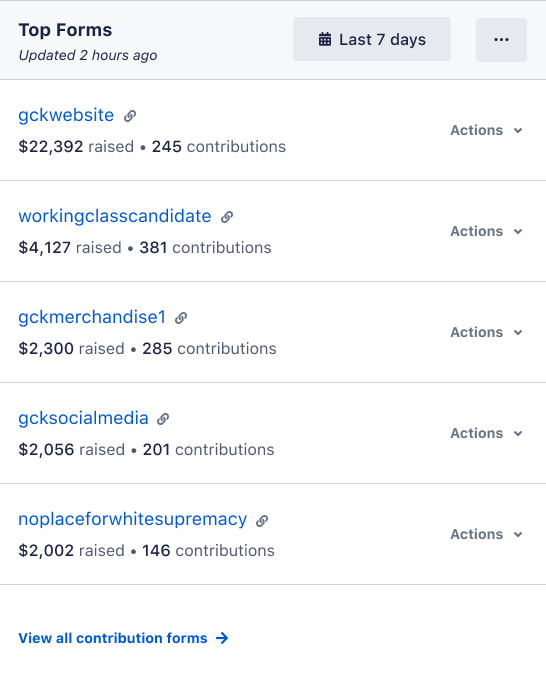
This module lists your highest-raising forms for the selected time frame so you can determine what messages are resonating with your donors.
Disbursements
The Disbursements module summarizes your most recent disbursement and your upcoming one.
- Your latest disbursement: the check or wire number, net total, and date of the most recent disbursement you’ve received from us. You can click the check or wire number for a detailed disbursement breakdown and to download the donor data.
- Your next disbursement: the pending net total of your next disbursement and your disbursement schedule
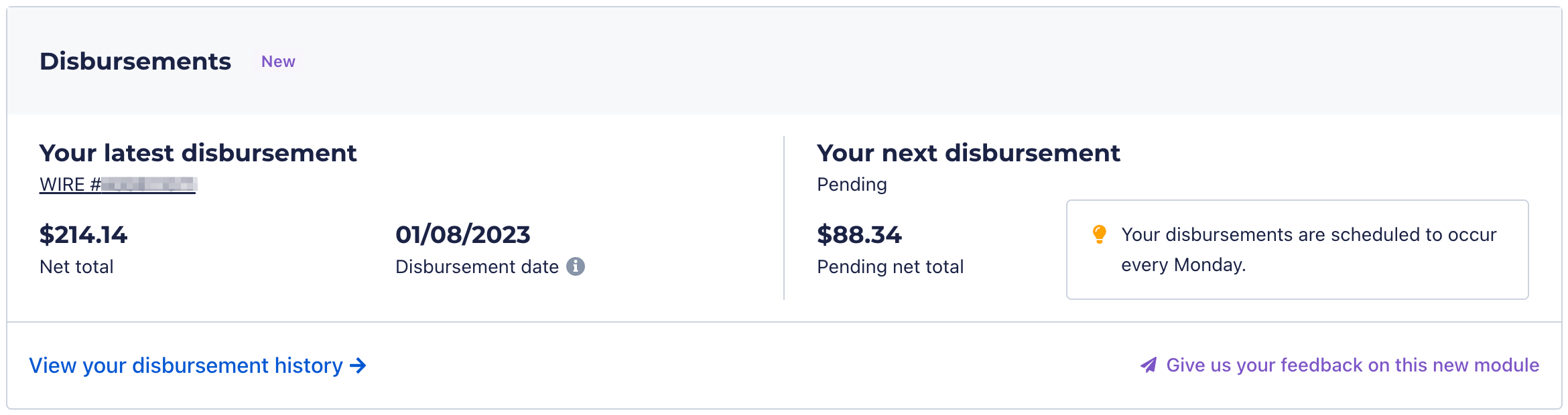
If you have a Stripe account, this module is called 'Payouts .'
Recurring
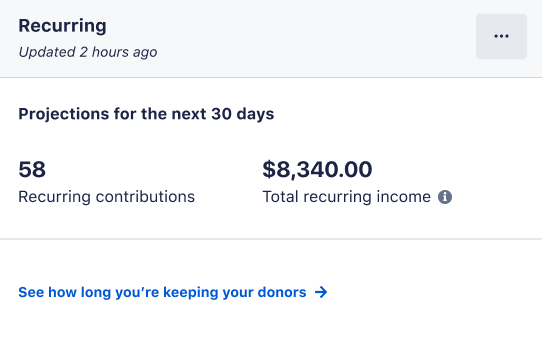
The Recurring module projects your total number of recurring contributions for the next 30 days and the total income from those contributions. Click on the link to view a retention chart for your recurring program.
Donor Statistics
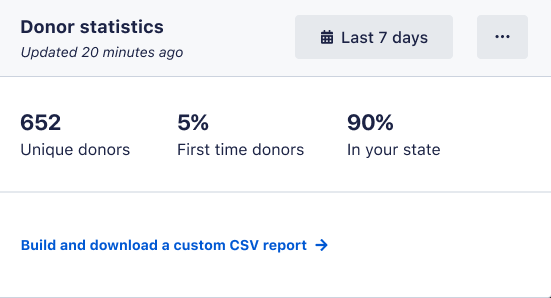
In the Donor Statistics module, you can view the number of unique and first-time donors gained over a given timeframe and the percentage from your state.
Form Breakdown
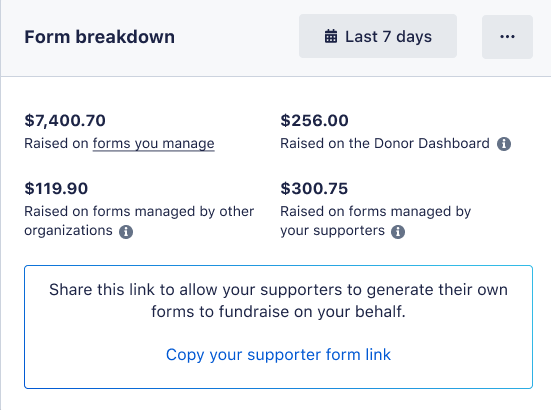
The Form Breakdown module displays the various form types your donors are using and how much money is coming from each:
- Forms you manage: donations made via forms managed through your ActBlue account
- Donor Dashboard: contributions made from a donor’s ActBlue Express dashboard
- Forms managed by other organizations: funds raised by other organizations through Tandem forms
- Forms managed by your supporters: donations made via supporter forms
PayPal and the PayPal logo are trademarks of PayPal, Inc. Other names, trademarks and brands are the property of their respective owners.