
In this article:
- What is a recurring pitch?
- How can I edit my recurring pitch?
- Can I edit the color of my recurring pitch arrow?
- How will my recurring pitch appear to my donor?
- Can I remove the recurring pitch from my form?
What is a recurring pitch?
ActBlue Core's recurring pitch tool allows you to write a custom pitch highlighting the benefits of making a recurring contribution to your campaign or organization.
This feature is available for both monthly and weekly recurring contribution forms and will appear like this on your contribution forms:
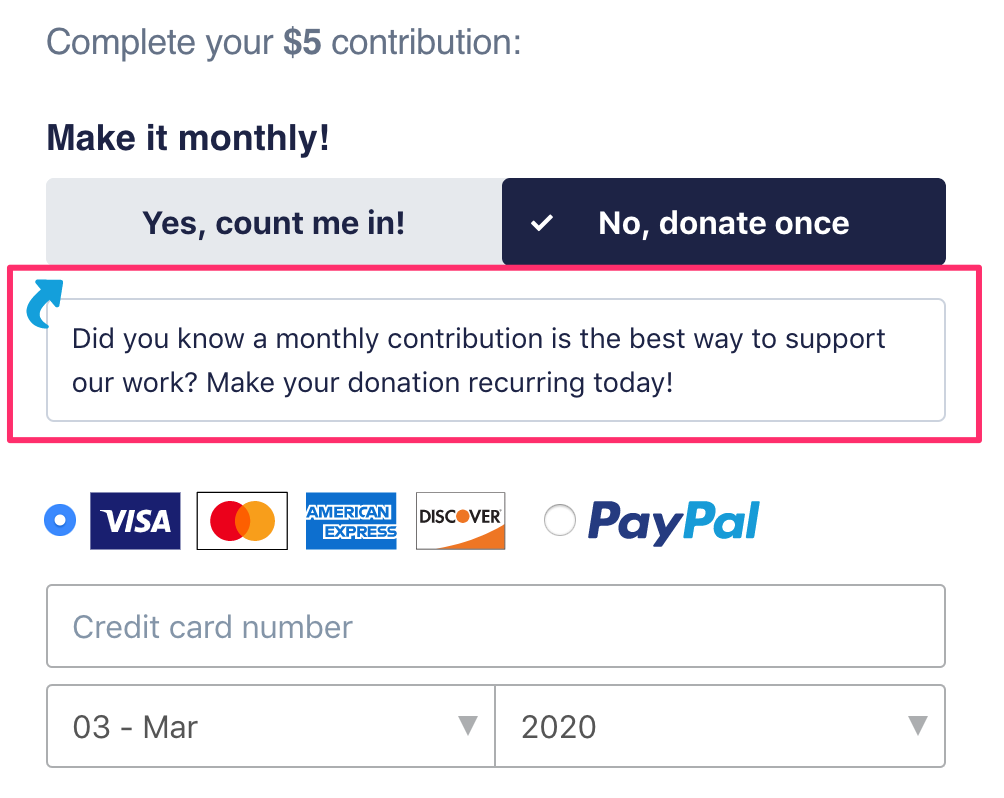
Please note that you cannot include a recurring pitch and incentive on the same form.
How can I edit my recurring pitch?
To edit your recurring pitch, start by opening up the form you'd like to make changes to and clicking the blue Edit button. This will open up the Form Editor:
Next, select the Recurring Settings tab from the options provided:

Select Recurring Pitch from the Recurring Promotion dropdown menu:

Finally, write your custom recurring upsell in the field provided. Please note that the pitch is limited to 140 characters.

You should see your updated pitch appearing on your form preview in real time. Once you're happy with it, click the green Publish button:

Can I edit the color of my recurring pitch arrow?
Yes! To change the color of your recurring pitch arrow, return to the form editor and select the Branding tab:

Next, select Donation Block Elements and then scroll down to Form Accents. Use the color picker provided to change the color of your arrow:

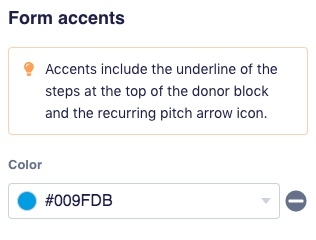
To remove the arrow completely, set the color to TRANSPARENT (do not use a # symbol).
Once you're happy with the changes to your arrow, click the green Publish button to save your changes.
How will my recurring pitch appear to my donor?
If your donor is on a desktop computer when donating, they will see your recurring pitch appear under the Make it Monthly! button options:
If your donor is contributing on mobile, they will see your recurring pitch appear above those buttons.
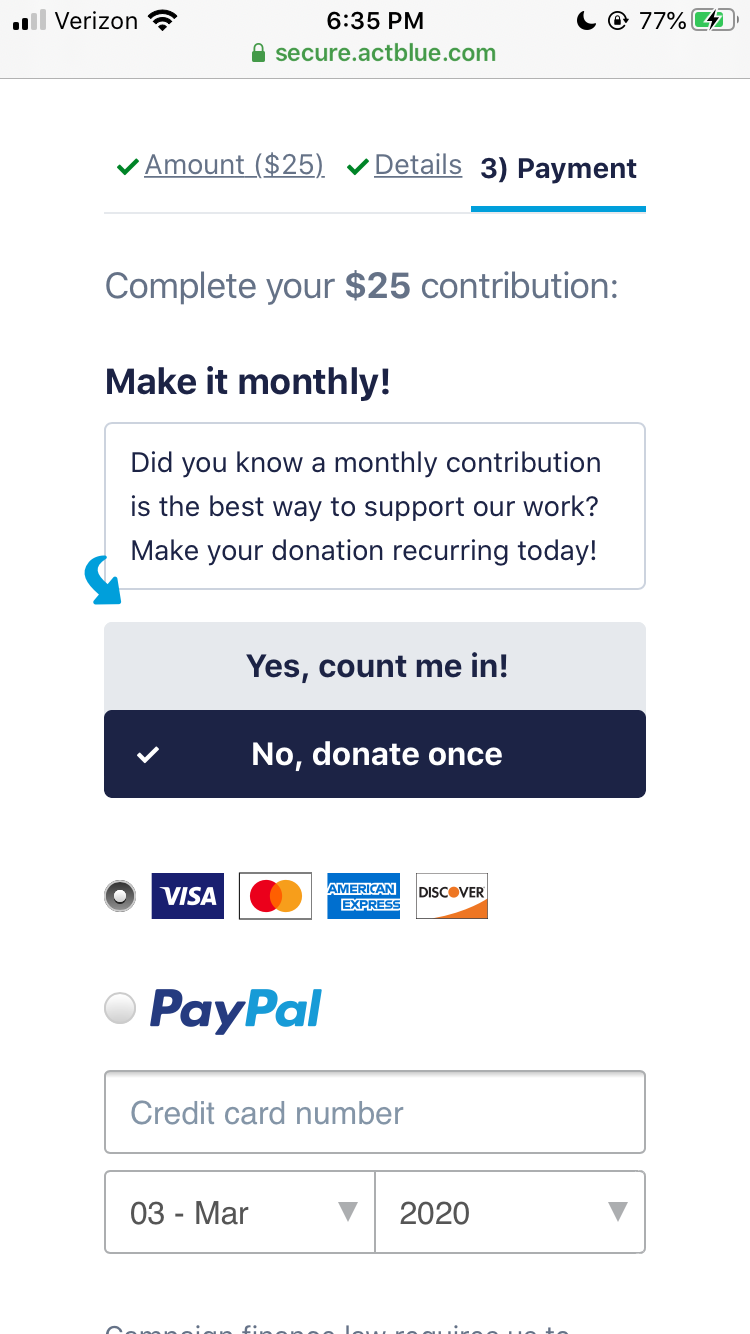
To confirm, your recurring pitch arrow will always point to the Yes button regardless of how your donor is contributing.
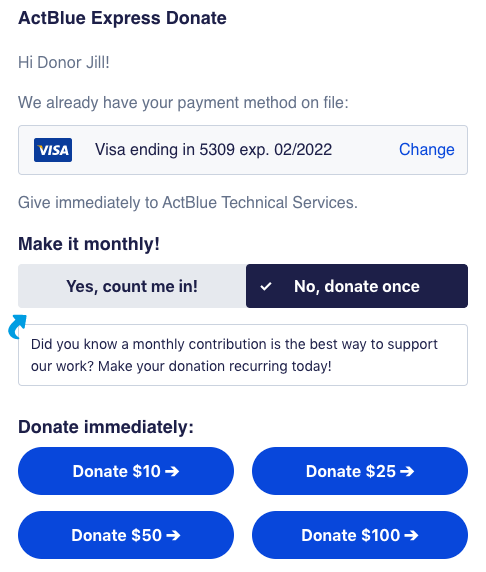
Your recurring pitch is also static, so all donors will see it, including ActBlue Express donors:
Can I remove the recurring pitch from my form?
Yes - to remove the recurring pitch from your form, return to the Form Editor and select the Recurring Settings tab:
Next, select No Additional Promotion from the Recurring Promotion dropdown:
