
This article explains how Core ActBlue campaigns and organizations receive their funds, which depends on account type. It walks through conduit accounts (federal candidates, 501(c)(4) nonprofits, and state-level candidates with conduit accounts), which receive a weekly check mailed on Mondays containing funds raised through the previous Sunday at midnight, and merchant accounts (local candidates and state-level candidates with merchant accounts), which have funds deposited directly into their linked bank account. It closes with how to see which donations a check contains by opening Reporting in the Dashboard and clicking Details next to a disbursement, plus a link to the guide on downloading fundraising data.
Disclaimer: ActBlue user roles and permissions dictate what users can do on our platform. If the tools or features mentioned in this article are unavailable to you, please speak to your Dashboard Admin(s) about updating your permissions.
In this article:
- How will I receive my donations?
- How do I know which donations my check contains?
How will I receive my donations?
Conduit Accounts
If you’re a federal candidate, a (c)(4) nonprofit, or a state-level candidate with a conduit account, you’ll receive a check each week containing funds from the previous week. We cut and mail checks every Monday with each check containing funds raised through Sunday at midnight.
Merchant Accounts
If you’re a local candidate or state-level candidate with a merchant account, your funds will be deposited directly into your linked bank account.
How do I know which donations my check contains?
To view which specific donations are included in your disbursement check, simply log onto your ActBlue Dashboard and select Reporting from the left-hand menu:
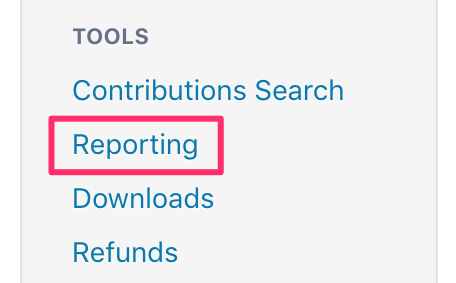
On the Reporting page, you will see a full list of disbursements sent to your campaign or organization. To view more information about a specific disbursement or check, click the Details link next to its entry on the page.
For more information about how to view and download fundraising data, check out this guide!
If you have any questions, please contact our support team using the email address you use to access your ActBlue account.