
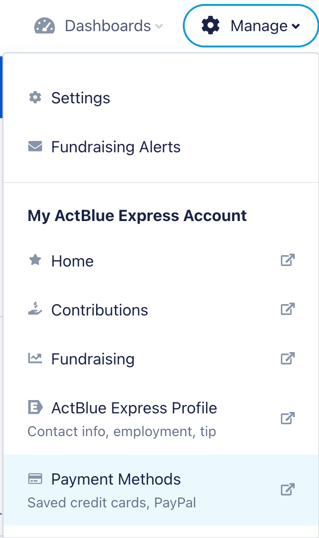
To view your personal donation history while signed onto your ActBlue Dashboard, simply navigate to the menu bar at the top of any ActBlue window and click Manage.
From the Manage dropdown, you'll be given various menu options to toggle between including your personal contribution history (Contributions), your personal supporter forms (Fundraising), your personal donor information (ActBlue Express Profile), and your preferred ways to donate (Payment Methods):
To return to your campaign or organization’s Dashboard after you've reviewed your donation history, simply use the same top-of-screen menu to select Dashboards:

If you have access to a single fundraising Dashboard, clicking this button will automatically redirect you there. If you have access to multiple fundraising Dashboards, clicking this button will bring you to a list of Dashboards to choose from.