
In this article:
If you want to donate $250 or more to a campaign or organization on ActBlue, you can make a secure ACH (Automated Clearing House) payment from your bank account.
Paying with a bank account means no credit card limits on the donation amount. ACH payments also have low processing fees, so the recipient is able to keep more of your contribution.
Before you can donate by bank account
Bank account (ACH) donations are currently available only for eligible campaigns and organizations that have enabled ACH contributions.
To donate by ACH, you must:
- Have an ActBlue Express account
- Be logged in to your account
- Link a supported U.S. bank account
- Contribute at least $250
If ACH is available for a contribution form, you will see “Bank account” listed as a payment option during checkout.
If you do not see the bank account option:
- The campaign or organization may not yet have ACH enabled
- Your contribution amount may be under the $250 minimum
- You may not be logged in to your ActBlue Express account
At launch, ACH donations are available only for signed-in donors using linked bank accounts.
Add a bank account as a payment method
First, log in to ActBlue. You will land on your ActBlue Express account’s Home page.
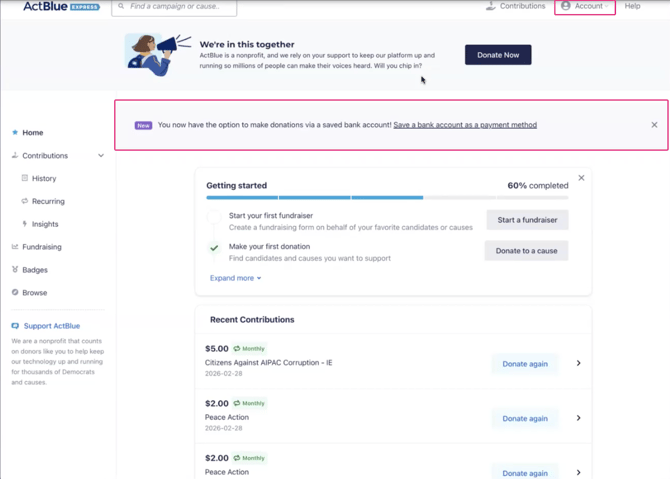
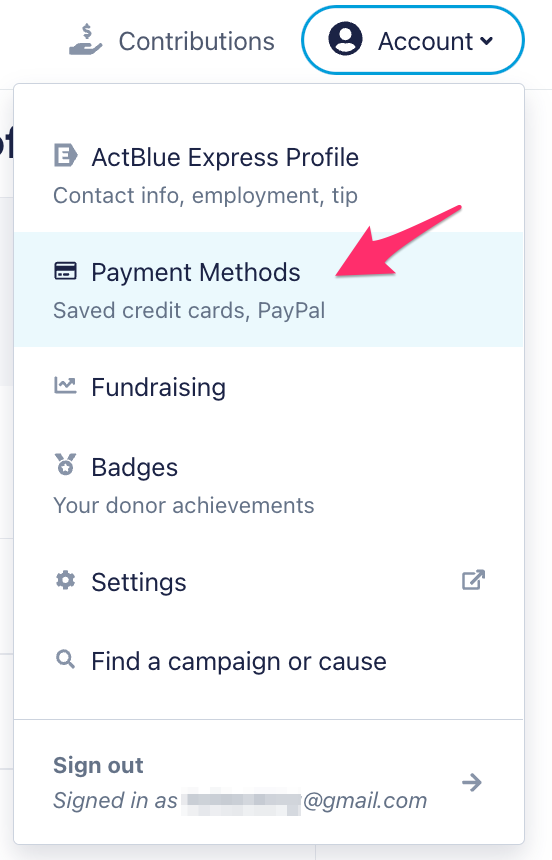
To add a bank account, click the purple banner at the top of the Home page. Or, click on the “Account” button in the upper right and select Payment Methods from the dropdown menu.
On the Payment Methods page, click “Add payment method.”
Select “Bank account.”

Select your bank from one of the tiles, or if you don’t see it, search for it. (99% of all American banks are represented.)

Once you select a bank, a smaller window will open where you can securely enter your bank’s login credentials and link one of your acco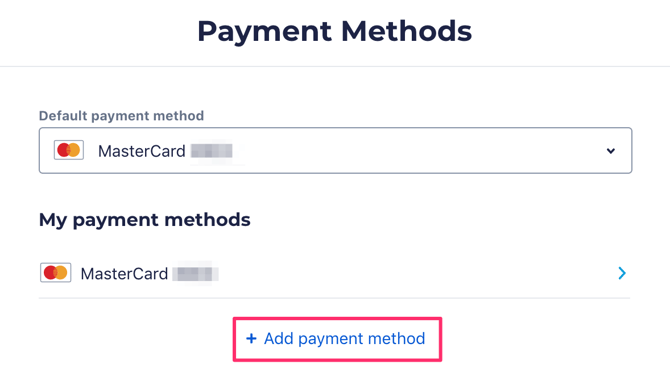 unts to ActBlue. When you are finished, click “Back to ActBlue, LLC.”

If you like, you can create a short name to help you remember this account. You can also make it your default payment method.
To finish, read and accept the ACH Direct Debit Terms. Then click “Save.”

Setting a default payment method
After linking a bank account, you can choose to make it your default payment method.
If your bank account is set as your default payment method and you click an ActBlue Express Lane link for $250 or more, your donation may automatically process using your bank account.
You can update your default payment method at any time from:
Account → Payment Methods
Contribute from a bank account
Once you have linked a bank account, you can use it as a payment method for any contribution of $250 or more.

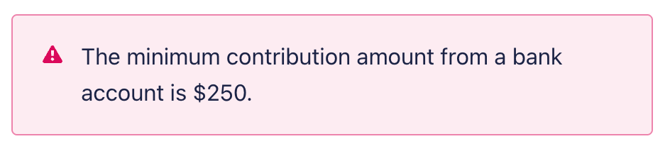
If you try to donate an amount under $250 by ACH, you will see the following error message:
Donations made via bank account typically process in 1 - 3 business days, so be sure to allow enough time for processing.

ACH contributions may occasionally fail to process. This is most commonly due to insufficient funds in the linked bank account or because the account is closed. If you are having trouble processing an ACH contribution, make sure:
- There are sufficient funds in the account.
- The account is open and eligible for withdrawal.
If you are still having trouble processing the contribution, we recommend contacting your bank directly for further information.