
Disclaimer: ActBlue user roles and permissions dictate what users can do on our platform. If the tools or features mentioned in this article are unavailable to you, please speak to your Dashboard Admin(s) about updating your permissions.
Reconciliation of Stripe merchant account fees is straightforward, with the ability to request a single report that shows all the information you need. The report includes a full itemized breakdown of all the donations and order numbers included in each deposit and all Stripe and ActBlue fees associated with the deposit.
Merchant Account Report Downloads
You can find all the information you need to reconcile your Stripe merchant account on the Downloads page of your ActBlue Dashboard.
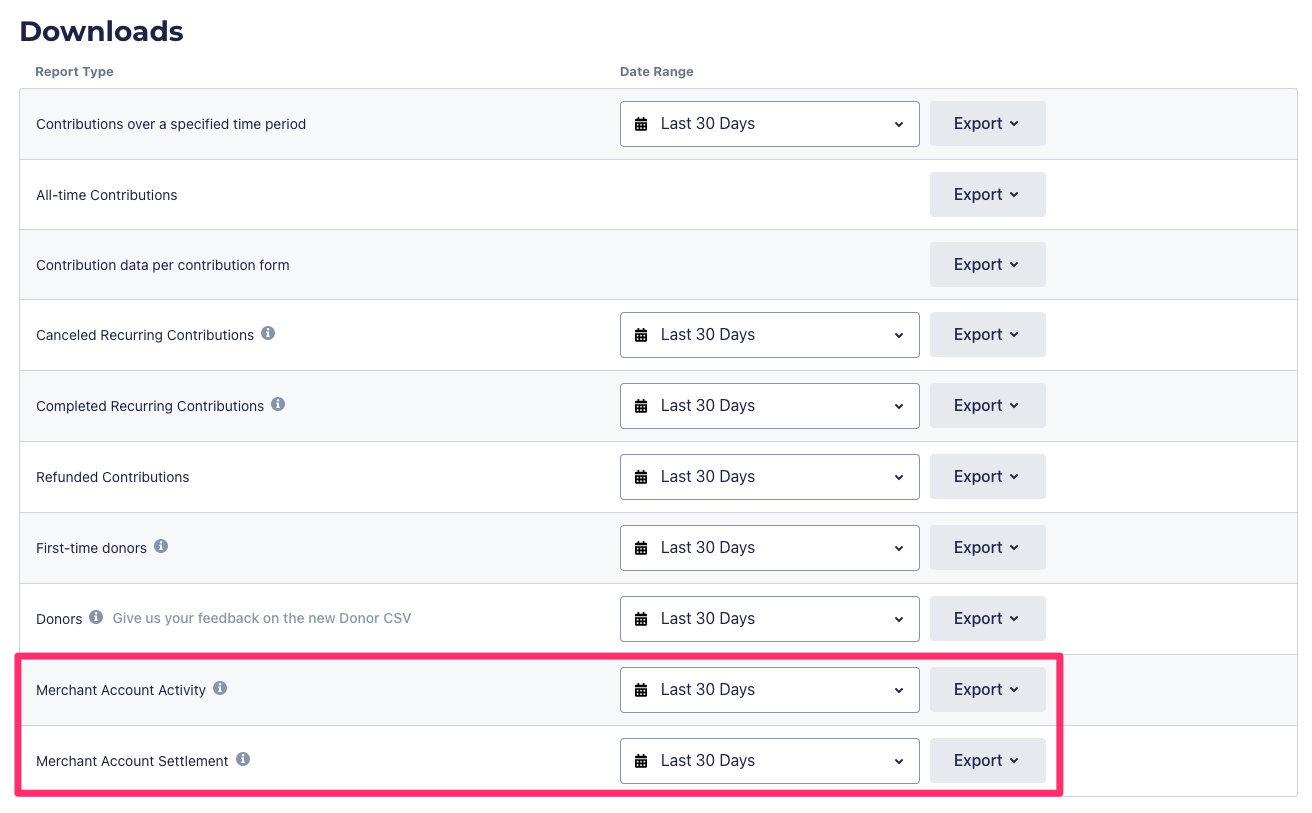
The Downloads page contains two relevant reports:
- Merchant Account Activity: contains all contributions made during the selected date range
- Merchant Account Settlement: contains all contributions in payouts to your bank account during the selected date range.
For reconciliation purposes, the most important columns are:
- Txn Amount (gross donation amount)
- Stripe Fee Amount
- ActBlue Fee Amount
- Net Settlement (the net amount deposited to your bank account).
Please note that Payout data created in the past two business days may not be available from Stripe.