
This article explains how Core ActBlue campaigns and organizations in eligible jurisdictions can set up direct deposit, and clarifies that the feature is still rolling out and may not appear on every Dashboard yet. It then walks through opening Financial Settings, clicking “Add account info,” and entering the account number, routing number, institution name, and account owner name. A bank document with matching details must be submitted (501(c)(3) and (c)(4) organizations must submit a bank statement with at least 60 days of activity or a signed bank letter). It closes with notes on direct deposit disbursements: amounts over $100,000 are issued as checks, issued deposits can’t be voided or canceled, funds take 2-4 business days to arrive, and you can ask for another transfer method at least two business days in advance.
Disclaimer: ActBlue user roles and permissions dictate what users can do on our platform. If the tools or features mentioned in this article are unavailable to you, please speak to your Dashboard Admin(s) about updating your permissions.
If you are in an eligible jurisdiction, you may be able to set up direct deposit from your ActBlue dashboard. Please note that we are currently making this feature available to more jurisdictions, and you may not yet see the option on your dashboard.
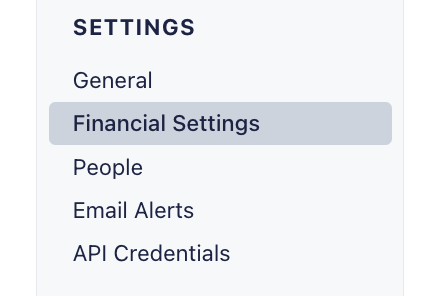
To get started, log in to your ActBlue account. In the Settings section of your left navigation bar, click on “Financial Settings.”
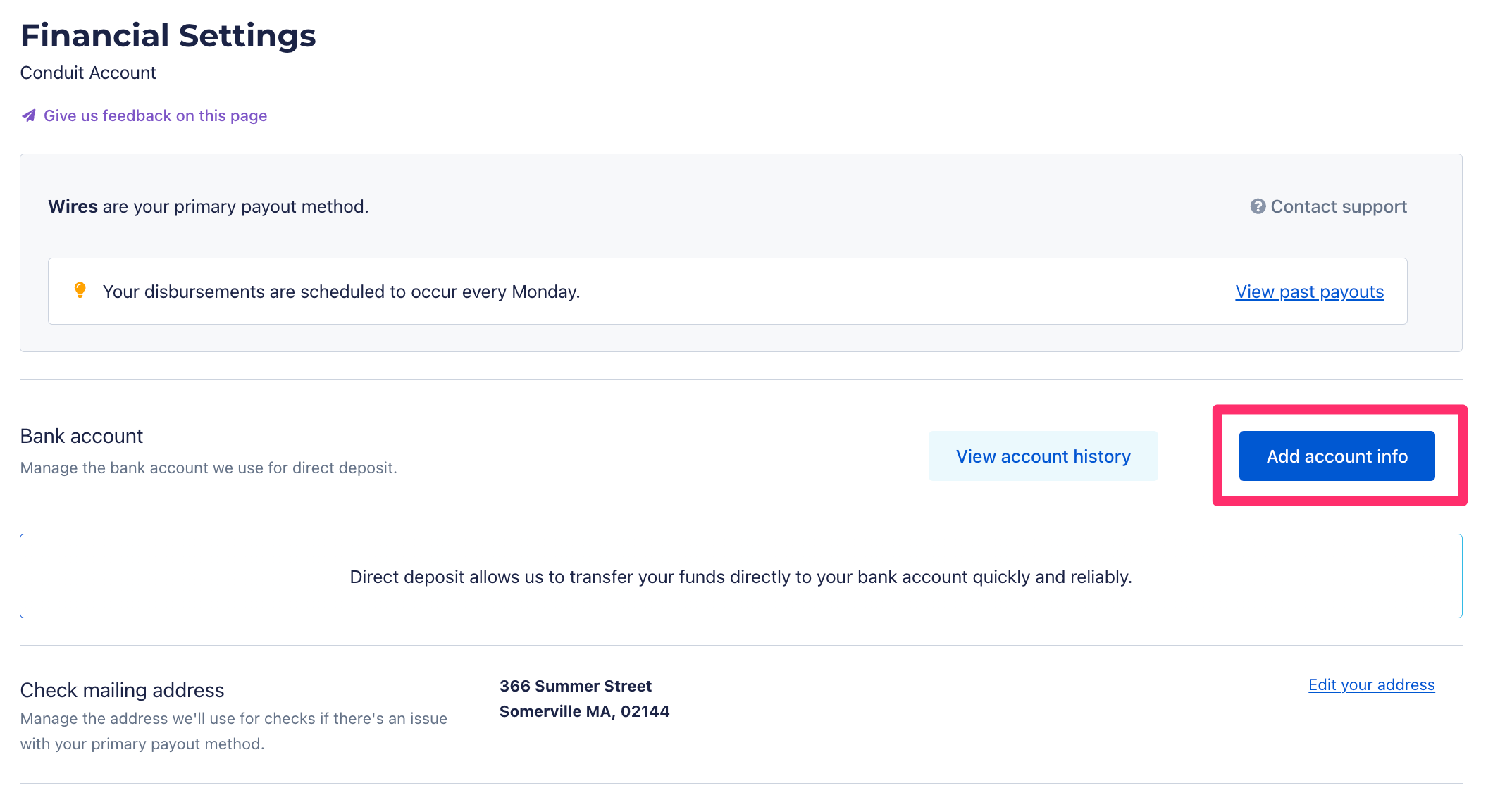
From the Financial Settings page, click “Add account info” to get started.
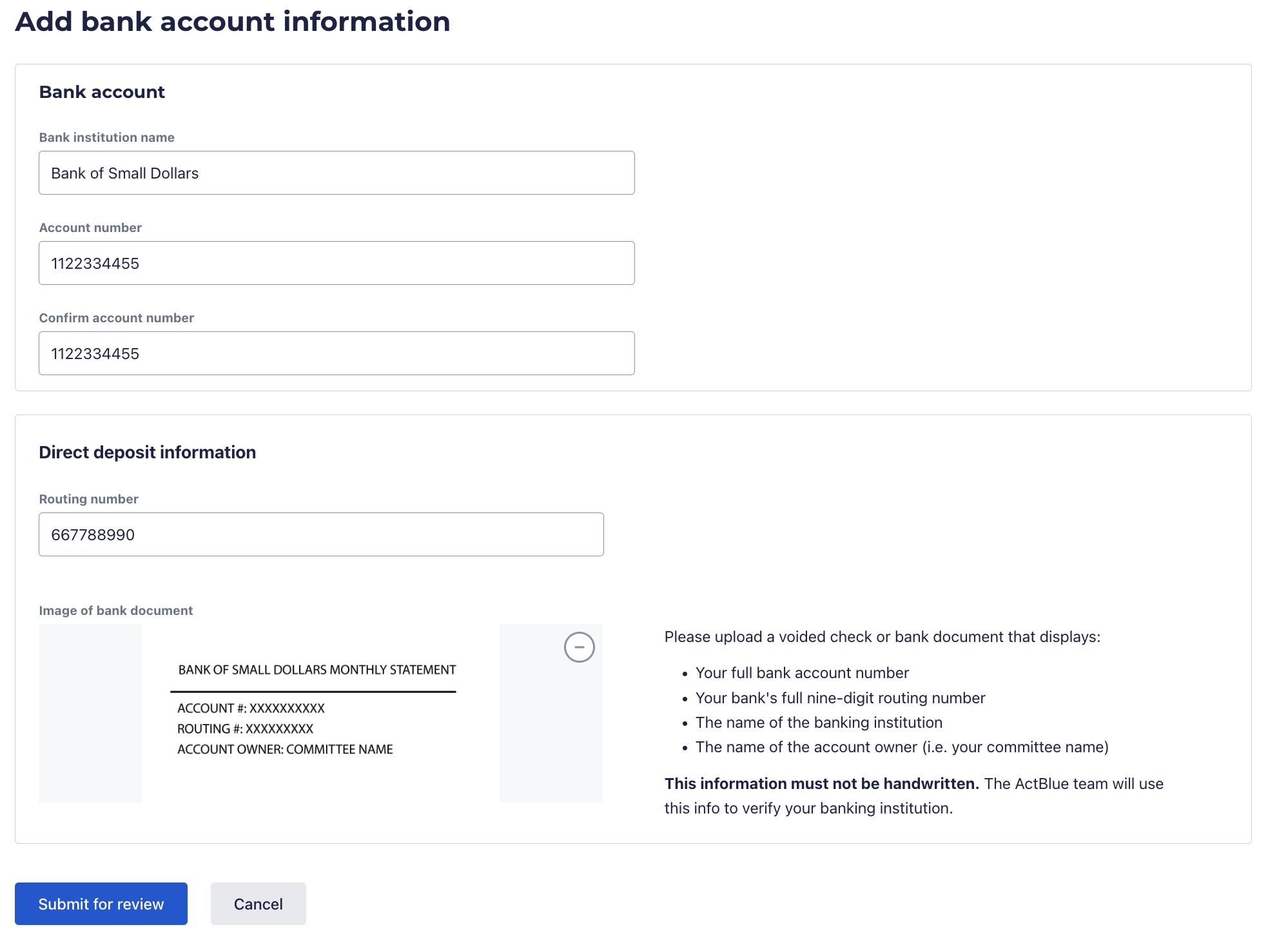
Next, you’ll be asked to add
- Your full bank account number
- Your bank’s nine-digit routing number
- The name of the banking institution
- The name of the account owner (i.e. your committee name)
- If your organization is registered as a 501(c)3 or 501(c)4 with the IRS, please submit a bank statement with account activity from at least 60 days in the past
Click “Submit for review.” It can take a few business days to verify your bank information, and you’ll receive an email from ActBlue when it’s complete. You can also check the status of your submission on the Financial Settings page.
About direct deposit disbursements:
- ActBlue is unable to issue direct deposit disbursements for amounts exceeding $100,000. If you have enrolled in direct deposit and your pending funds exceed $100,000 on your scheduled disbursement day, we will issue your disbursement as a check.
- Once a direct deposit disbursement is issued, it cannot be voided or canceled, and we can’t reissue the funds until ActBlue receives confirmation from our bank that the direct deposit failed, which could take up to a week from the issue date.
- It may take 2-4 business days for your disbursement funds to be available in your bank account. If your campaign finance regulators require that funds be physically in your bank account to report them, you may need them disbursed via a different transfer method. You can request this by contacting us at least two business days in advance to ensure we can accommodate your request.