
Disclaimer: ActBlue user roles and permissions dictate what users can do on our platform. If the tools or features mentioned in this article are unavailable to you, please speak to your Dashboard Admin(s) about updating your permissions.
In this article:
- Generating Bump Your Recurring Links
- Exporting Bump Your Recurring Data
A “Bump Your Recurring” link is an individualized link you can send to your recurring donors so they can easily increase the amount of their monthly contribution. Each link is unique and directs to an Increase Your Monthly Impact page.
Generating "Bump Your Recurring" links
The Report Builder automatically generates “Bump Your Recurring” links for eligible recurring donors. To access these links, simply navigate to your Downloads tab.
First, open your Dashboard and select Downloads from the Dashboard toolbar.
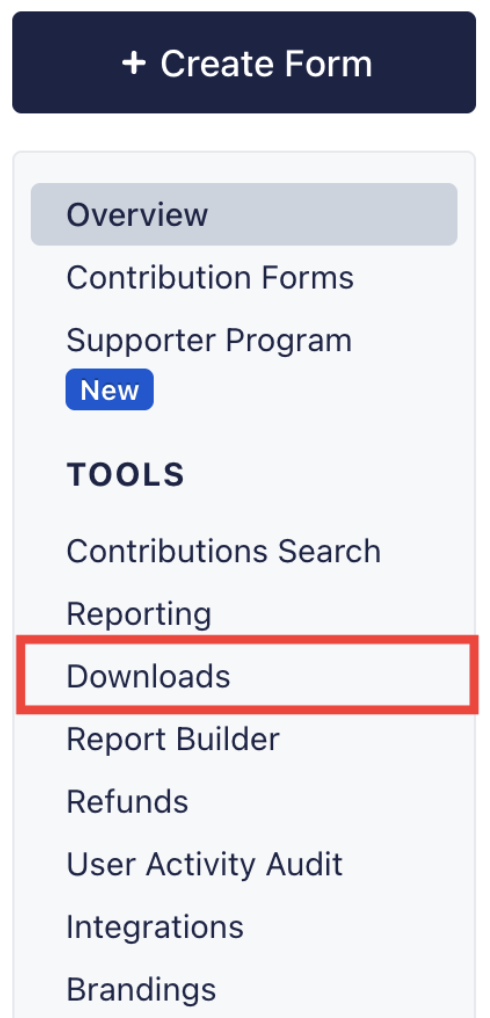
Next, scroll down to the ‘Bump recurring links for donors” option at the bottom of the page:

Adjust the date range to your preferences, then choose how you would like to download your links:
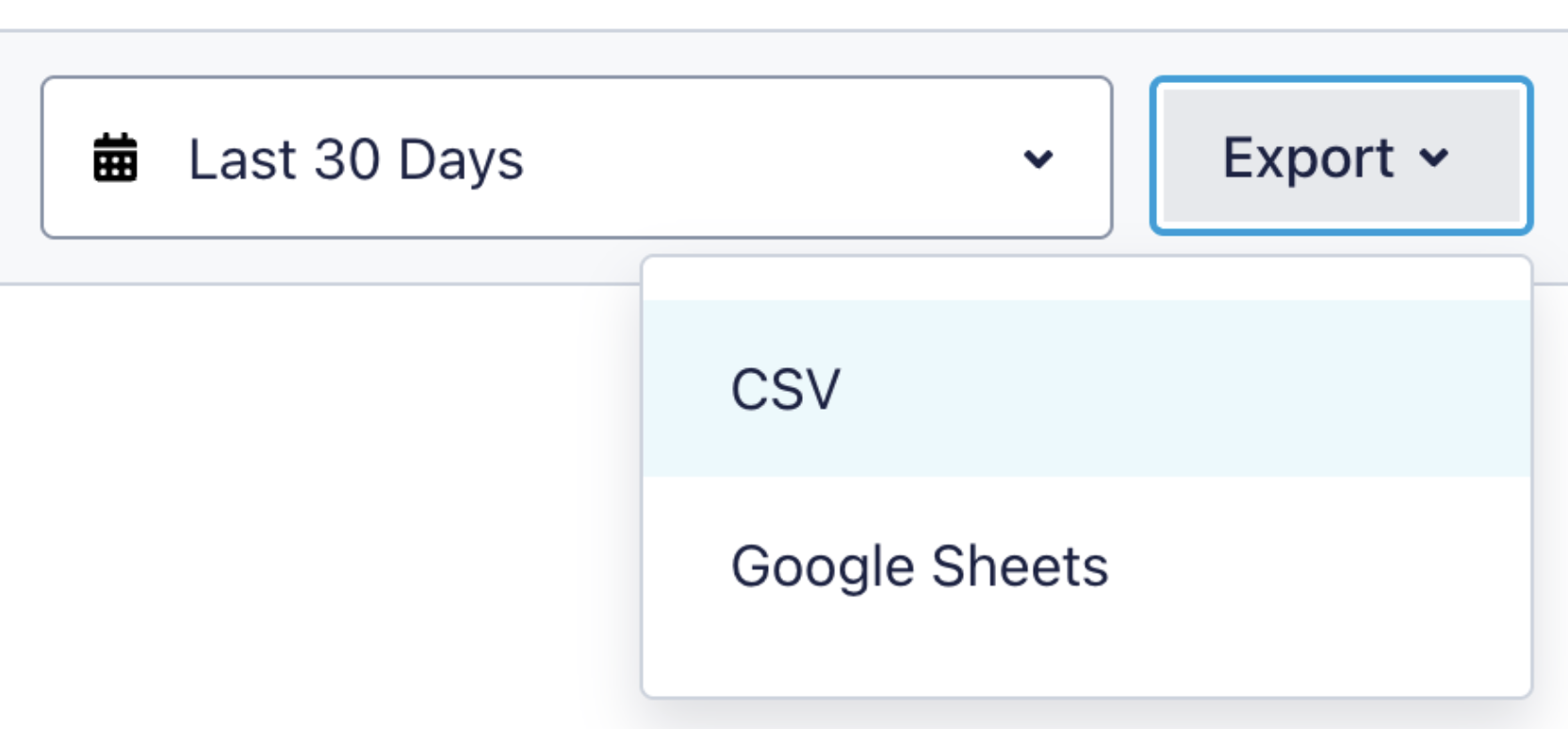
You can export it to Google Sheets™ or download it as a CSV. Once you click an option, the banner at the top of the page indicates report generation.
Please note: ‘Bump Your Recurring’ links populate for eligible recurring contributions. These recurring donations must be:
- Single recipient
- Monthly
- Active with more than one recurrence remaining
If the “Bump Your Recurring” report is blank, no recurring donations meet these requirements.
Since each link corresponds to a specific recurring contribution, use the information from your report to ensure that you send links to the correct donor. Donors who click their link will land on an Increase Your Monthly Impact page, as shown below. If a donor chooses to increase their recurring contribution, the new amount will apply to the next recurrence.
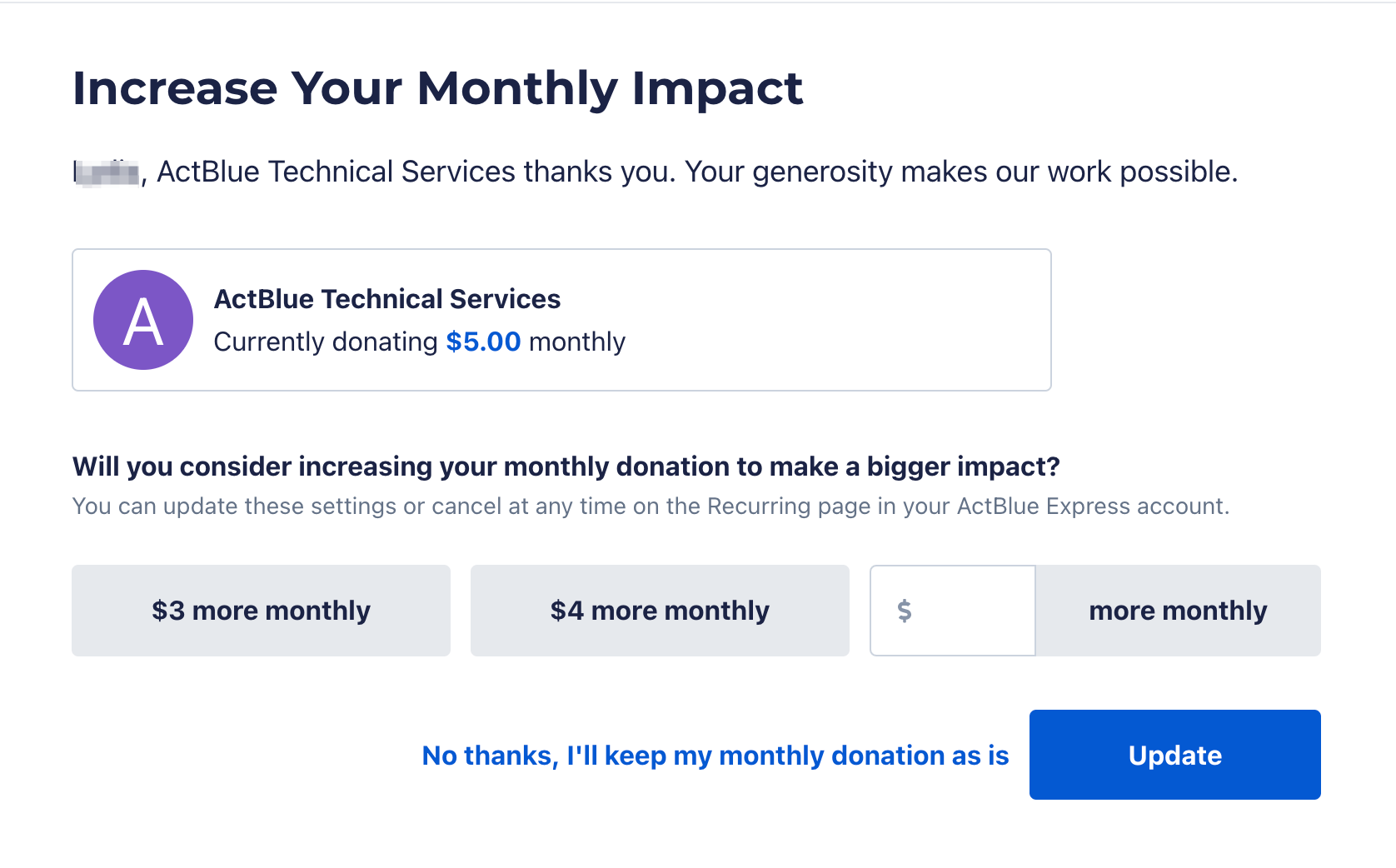
The Increase Your Monthly Impact page is not customizable. The graphic next to your group’s name is the one that appears in the ActBlue Directory, and smart data automatically populates the dollar amounts listed in the “more monthly” buttons.
Exporting "Bump Your Recurring" link data
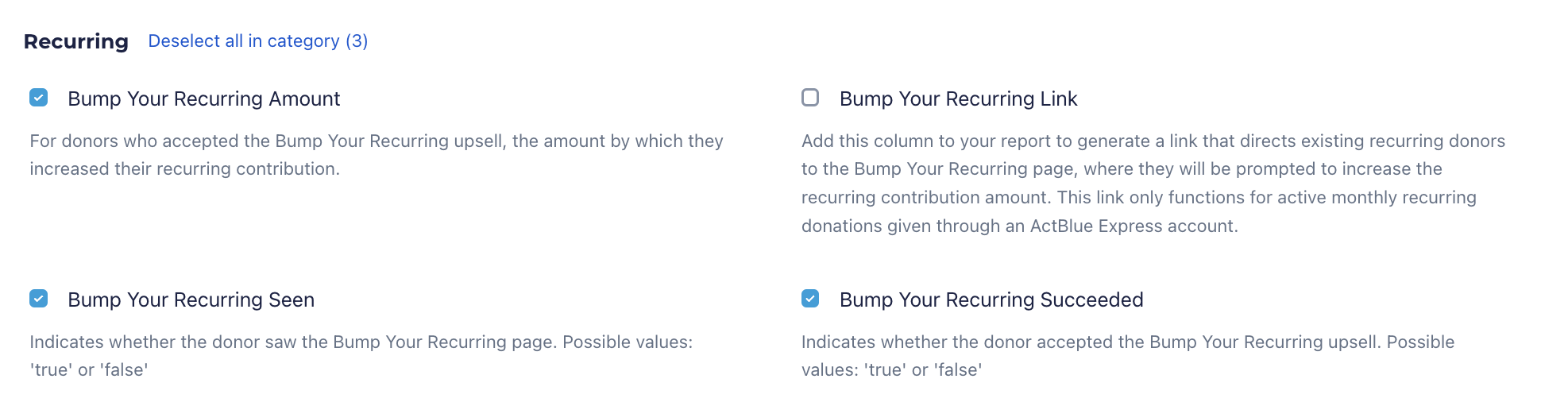
You can also use the Report Builder to view the results of “Bump Your Recurring” links. Simply include the “Bump Your Recurring Amount,” “Bump Your Recurring Seen,” and “Bump Your Recurring Succeeded” columns.
Google Sheets is a trademark of Google LLC.