
In this article:
- How billing works for Federal Compliance
- Purchasing a subscription
- When you'll be charged
- Managing your subscription
- Canceling your subscription
How billing works for Federal Compliance
Federal Compliance subscriptions are billed through Stripe, our payment processing partner.
Purchasing a subscription
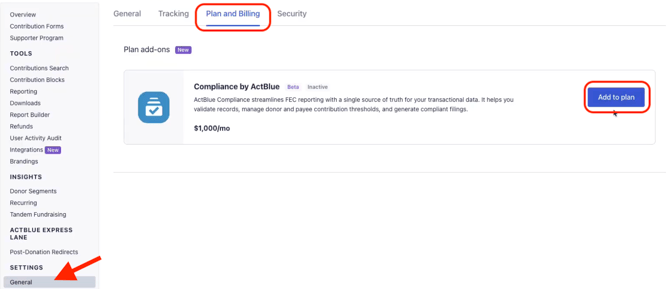
You can purchase a Federal Compliance subscription from your Plan and Billing page. When you click to purchase, you'll be taken to a secure Stripe checkout page where you enter your payment information. Once checkout is complete, your subscription is active and you'll receive an email confirmation from Stripe.
When you'll be charged
Your payment method on file is charged on the day of the month you purchased your subscription. You'll receive an invoice by email each billing cycle.
Managing your subscription
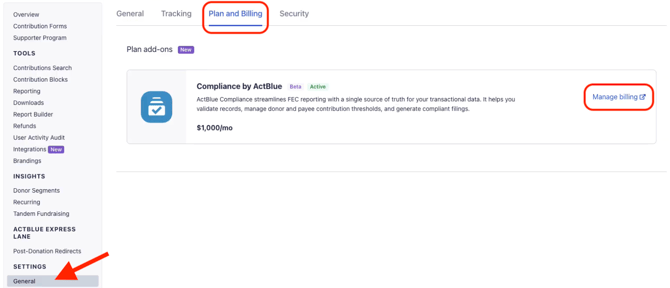
To update your payment method or view past invoices, use the Manage Billing option on your Plan and Billing page. This opens your Stripe Billing portal, where you can make changes at any time.
Canceling your subscription
You can cancel at any time from your Stripe Billing portal. If you cancel, your subscription stays active through the end of the current month, and you won't be charged again after that.
Questions?
Contact our support team and we'll be happy to help!