
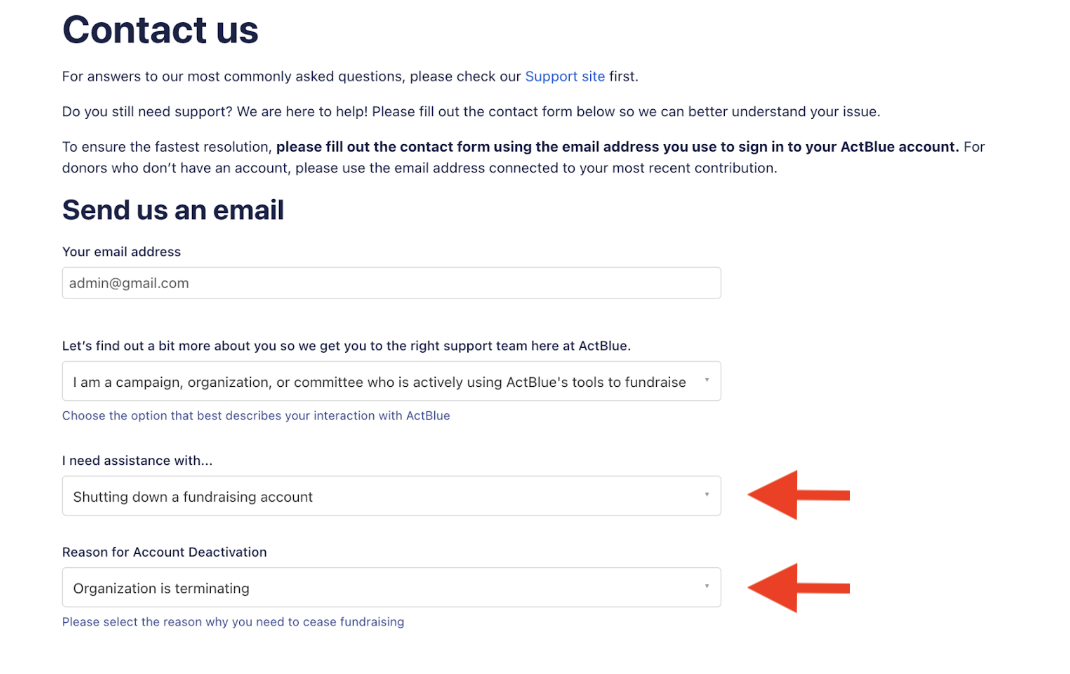
To deactivate your ActBlue Dashboard, please use the Contact Us form. In the “I need assistance with…” field, select ‘shutting down a fundraising account’ and input your reason for account deactivation.
Please include the entity’s name in your request and link an email address with the correct user access permissions to the account.
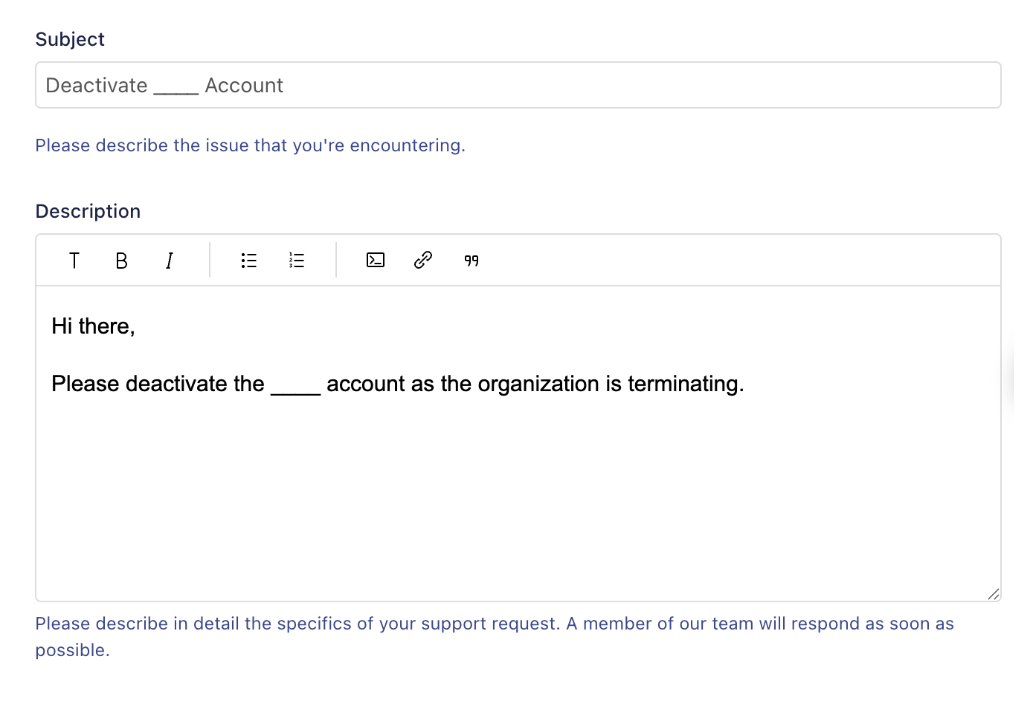
In the Subject line, feel free to write something like: “Deactivate [Organization Name] account”
In the Description section, include a short message, making sure to indicate why the ActBlue account needs to be deactivated, such as: “Please deactivate the [Organization Name] account, as the organization has been terminated.”
Once the form has been submitted, you should hear from our team confirming your fundraising account deactivation in 1-2 business days.
You (and all other account users) will retain access to the account indefinitely in order to access contribution data for compliance and reporting purposes.
The organization is responsible for any refunds via the ActBlue account.