
In this article:
- What is Candidate Badging?
- Where will I see Candidate Badging displayed on a form?
- Why aren't I seeing Candidate Badging displayed on a form?
What is Candidate Badging?
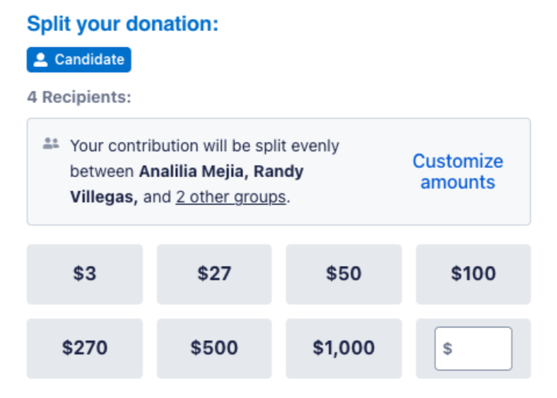
Candidate Badging is a new and simply way to verify who you're supporting on ActBlue. When you give to a candidate, you will now see a small Candidate badge displayed on the contribution form:

Candidate Badging is not an endorsement, a rating, a ranking, or a guarantee from ActBlue. It simply tells you the recipient of your donation is a candidate, rather than a PAC, party committee, or other organization.
Where will I see Candidate Badging displayed on a form?
Candidate Badging will display in a form's right-hand donation window on both desktop and mobile. You'll see it whether you're giving for the first time, a returning donor, or signed into your ActBlue Express account.
On tandem forms, Candidate Badging will only display if every listed recipient is a candidate. If even one recipient is a PAC or an organization, Candidate Badging will not appear.
Why aren't I seeing Candidate Badging displayed on a form?
There are a few common reasons why you might not see Candidate Badging displayed on a form:
- The form you're donating through isn't for a candidate (for example, a PAC, party committee, or nonprofit)
- The form you're donating through is for multiple recipients and at least one of them isn't a candidate.
- Candidate Badging is still rolling out and hasn't reached the form you're donating through yet.
A missing badge doesn't mean a form isn't trustworthy! It just means the form doesn't meet the conditions above.